Features
Slides and explanations side by side, in sync
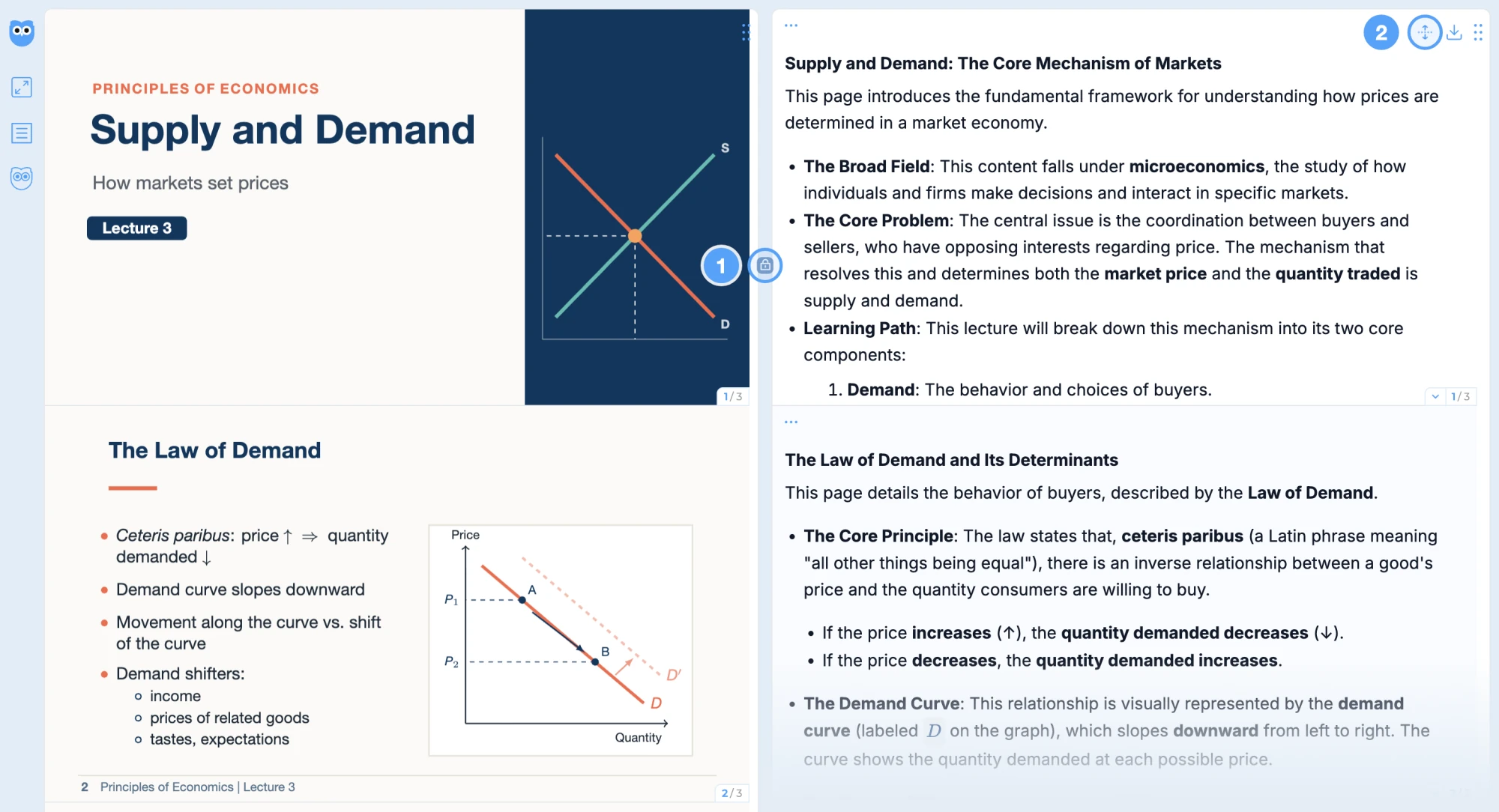
In Owlslide, your original slides and each page's explanation are on the same screen, side by side or stacked, so you never have to switch between windows.
How it works
On the same screen
Slides on the left and explanations on the right, or stack them top and bottom. You can drag the panels to arrange them.
Read in sync
Turn on Lock Sync and the explanation turns to the same page as your slides. Without it, one click brings both sides to the same page.
Expand long explanations
Click Expand to read an explanation from start to finish, with the slide still in view.
Full screen focus
Full screen mode keeps just the slides and explanations, with nothing else in the way.
FAQ
Yes. In the iPad browser you can view slides full screen just like on a computer, or show slides and explanations in two columns, in sync.
No. Owlslide runs in the browser on computers and iPads.